Better data in, better answers out
Most exposure problems are data problems: a missing postcode, an implausible value, a schedule in the wrong format. Catching them as the data arrives is cheaper than finding them in a loss estimate.
- Rules run on arrival
- Named, owned corrections
- Patterns, not just incidents
Fix the record, not the report.
 Photo: NASA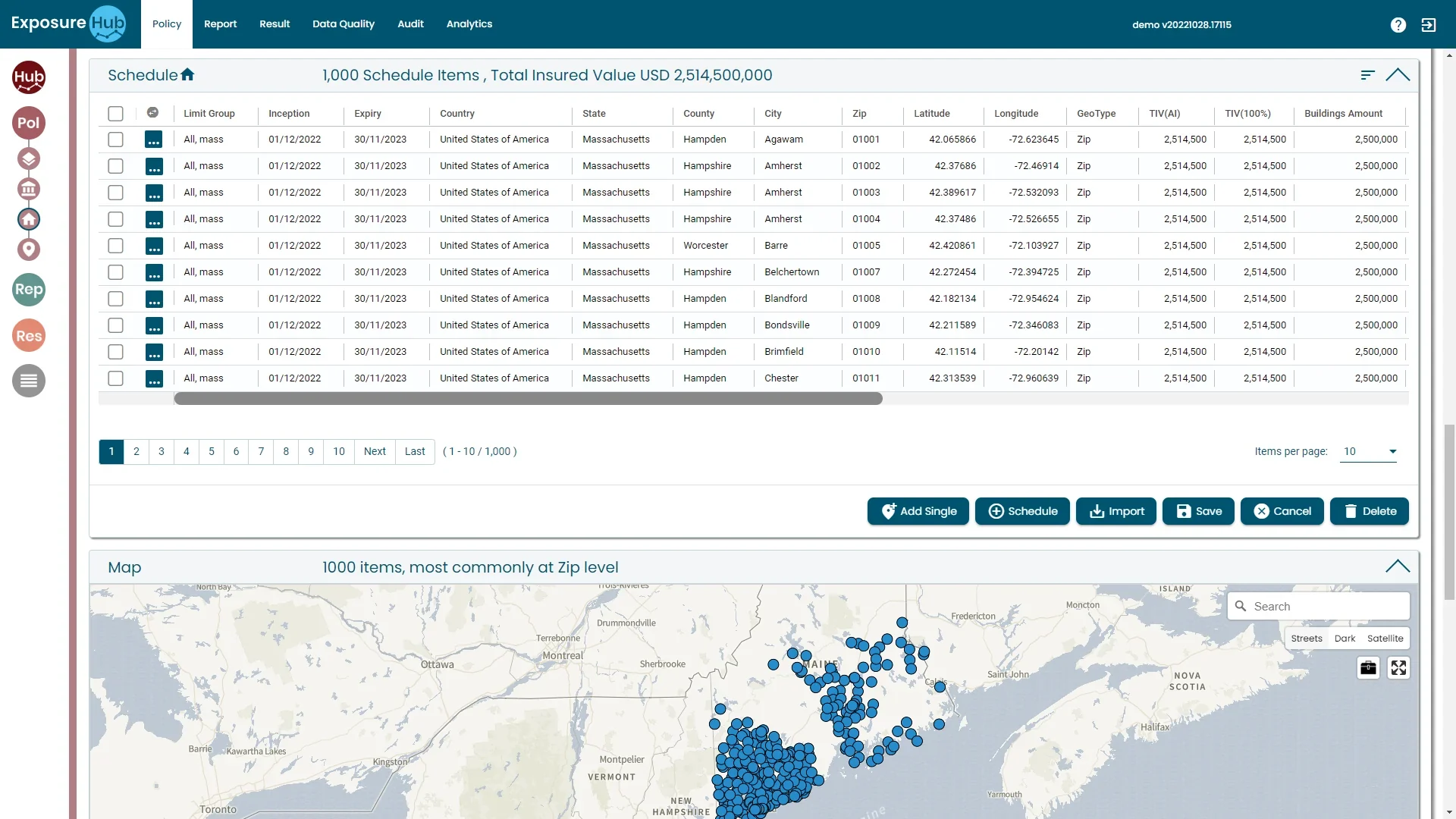

fictional records flagged on arrival, each routed to its owner.
Most exposure problems are data problems. Catch them as the data arrives.
Catching them as the data arrives is cheaper than finding them in a loss estimate.
The location cannot be placed.
A total insured value that is zero, or far too large.
A schedule that does not match your data model.
Switch a rule off. Fix a record. Watch the score.
| Record | Country | Postcode | Lat, long | Value USD m | Construction | |
|---|---|---|---|---|---|---|
| R-101 | US | 01001 | 42.07, -72.62 | 12.4 | Masonry | |
| R-102 | US | missing | 42.38, -72.47 | 8.1 | Timber | |
| R-103 | US | 02108 | 42.36, -71.06 | 0 | Steel | |
| R-104 | GB | EC2N 2DB | 51.51, -0.09 | 22 | missing | |
| R-105 | GB | M1 1AE | 3.14, -0.11 | 14.2 | Masonry | |
| R-106 | US | 10001 | 40.75, -73.99 | 9,999 | Steel | |
| R-107 | GB | missing | 53.48, -2.24 | 31.5 | Masonry | |
| R-108 | US | 94105 | 37.79, -122.39 | 17.3 | Timber |
6 flagged of 8
Route a flagged record to its owner and the correction is recorded here.
Missing, inconsistent or out-of-range is found in the fields.
This is the Policy tab's schedule: a postcode, coordinates, a geocoding type and a value on every row. These are the cells a rule looks at. The Data Quality tab sits next to it in the same navigation, with the Audit tab keeping the per-record history.
ExposureHUB demo environment · Policy tab · demo property schedule
Other people's data gets the same checks.
Three of them are the checks: validate, normalise, monitor.
Check third-party sources for inconsistencies or errors; this is critical to accuracy and completeness.
Standardise sources so they are compatible with the platform's data model; the best providers convert data from many sources into a standard format aligned with its schema.
Watch sources for changes or updates so the data stays accurate, secure, compliant and up to date, with alerts to tell users when something changes.
Ebix Europe, “Lloyd’s syndicate business plan bulletin: accelerating improved exposure management”
Five things the DQ Module does, as it describes them.
DQ Module, as described on the ExposureHub page on ebixrisk.com
Automated validation against configurable quality rules
Early detection of missing, inconsistent or out-of-range values
Trend analysis of recurring data quality patterns
Correction workflows with an audit trail per record
Supports regulatory compliance requirements
Modules behind it, and the next job.
Put data quality at source to work.
Book a walk-through built around your own classes of business and the questions your team asks of the book.