See the whole book on one live map.
Run instant exposure checks and analyse portfolio trends across geographies, lines and clients. Interactive dashboards surface accumulation risks and outliers before they become material issues.
- Accumulation monitored in real time
- Drill down by geography, line, client or peril
- Catastrophe scenarios and post-event loss estimates
Draw the event. Read the answer.
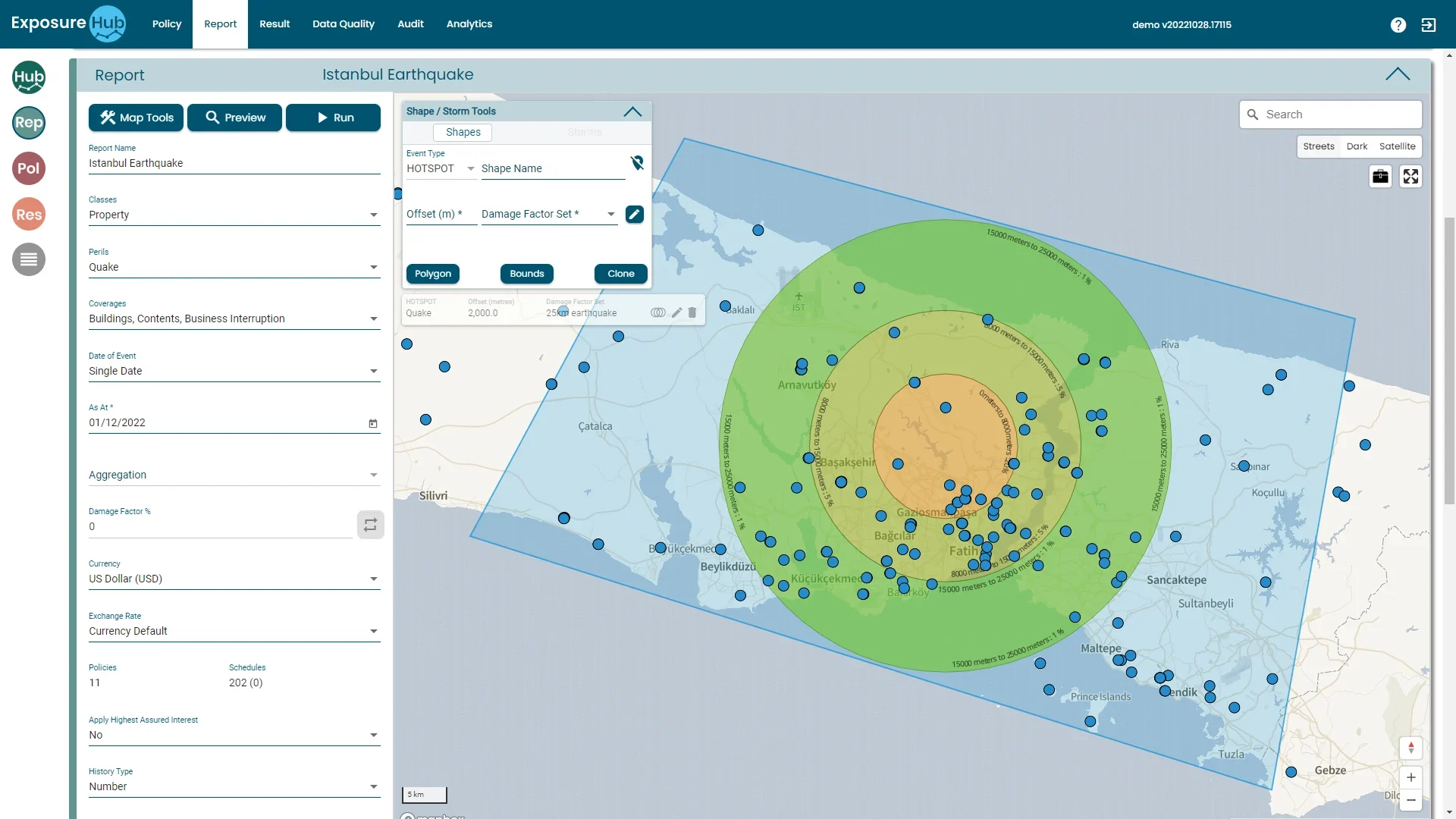
Earthquake · property
Offset 2,000 m
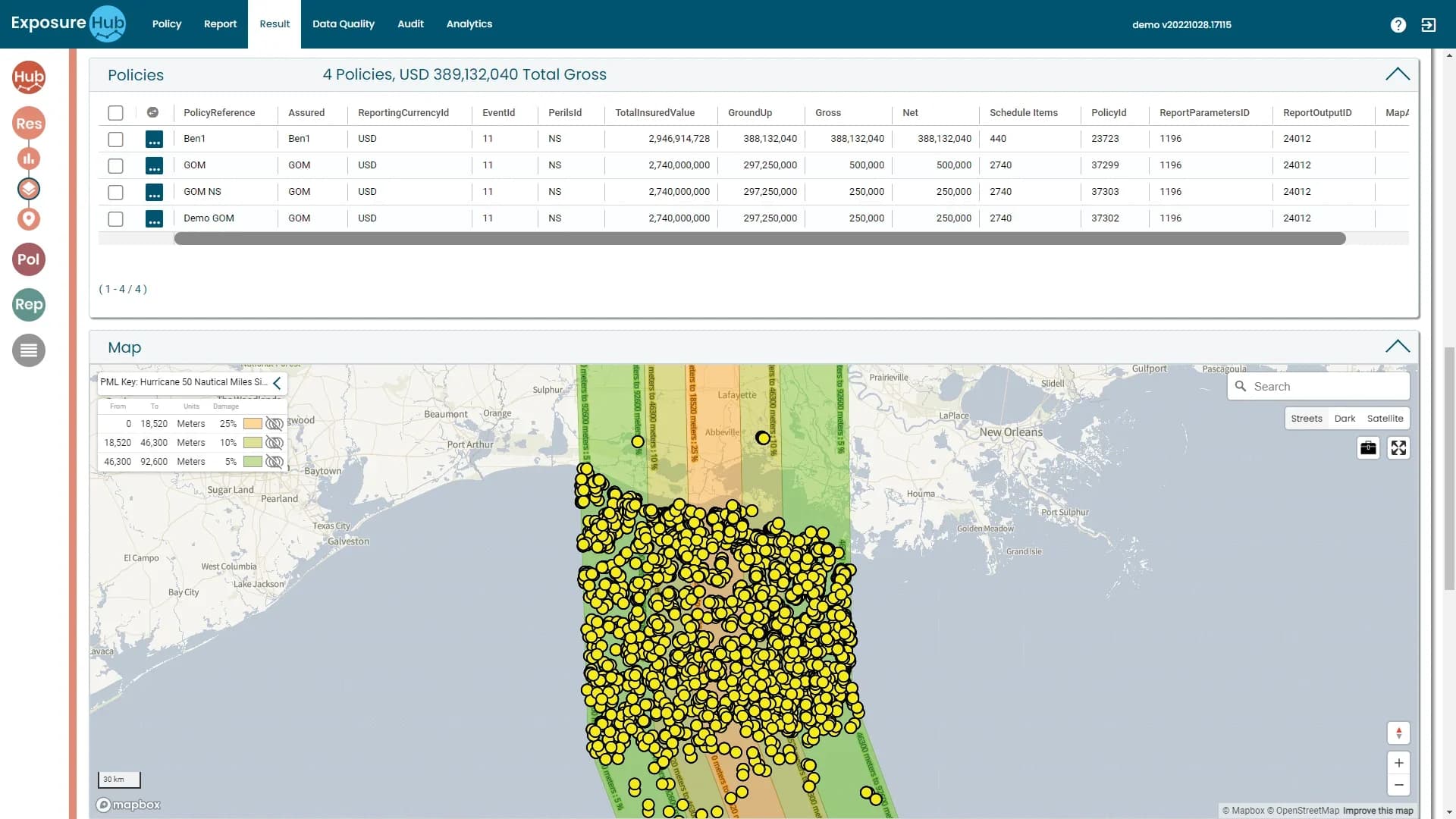

Hurricane run
4 policies · USD 389m gross
What the Insight Module does, and what it looks like.
IllustrativeDrawn from the module description with fictional sample data. Not a screenshot.
Draw the event over the book, then run it.
Say what you are testing
Classes: Property. Perils: Quake. Coverages: Buildings, Contents, Business Interruption. Then the date of event, currency and exchange rate.
Draw the event, set its damage
Shape / Storm Tools: an event type, here HOTSPOT, drawn as a polygon or by bounds, or cloned. An offset of 2,000 metres and the damage factor set “25km earthquake”.
Run it
Map Tools, Preview, Run. The rings land on the portfolio, each band labelled with its distance and damage percentage; 11 policies and 202 schedules are in scope.
Report tab · Istanbul earthquake · ExposureHub demo environment
Read the result: policies, gross and net, and the damage key.
4 Policies
USD 389,132,040 Total Gross for the run, one row per policy.
Ground-up, Gross, Net
Each policy carries its total insured value, ground-up, gross and net figures.
Schedule Items
The count of locations behind every policy, so a figure traces back to its schedule.
Result tab · a hurricane run over the US Gulf coast · demo environment
PML Key: Hurricane 50 Nautical Miles
Three bands, one damage figure each.
Values read from the key on the screen; the nautical-mile column is the same distance converted (1 nautical mile = 1,852 m). After an event, ExposureHub helps reinsurers estimate their exposure swiftly, and after a data breach or denial-of-service attack it can identify the extent of the exposure in real time (Ebix Europe).
Accumulation areas, visible at a glance.
Geographic exposure distribution on an interactive map, so accumulation areas are visible at a glance. Every row on the Policy tab carries Zip, Latitude, Longitude and GeoType, and the map plots the same items.
Start with the whole portfolio and go down to the location, client or class that matters.
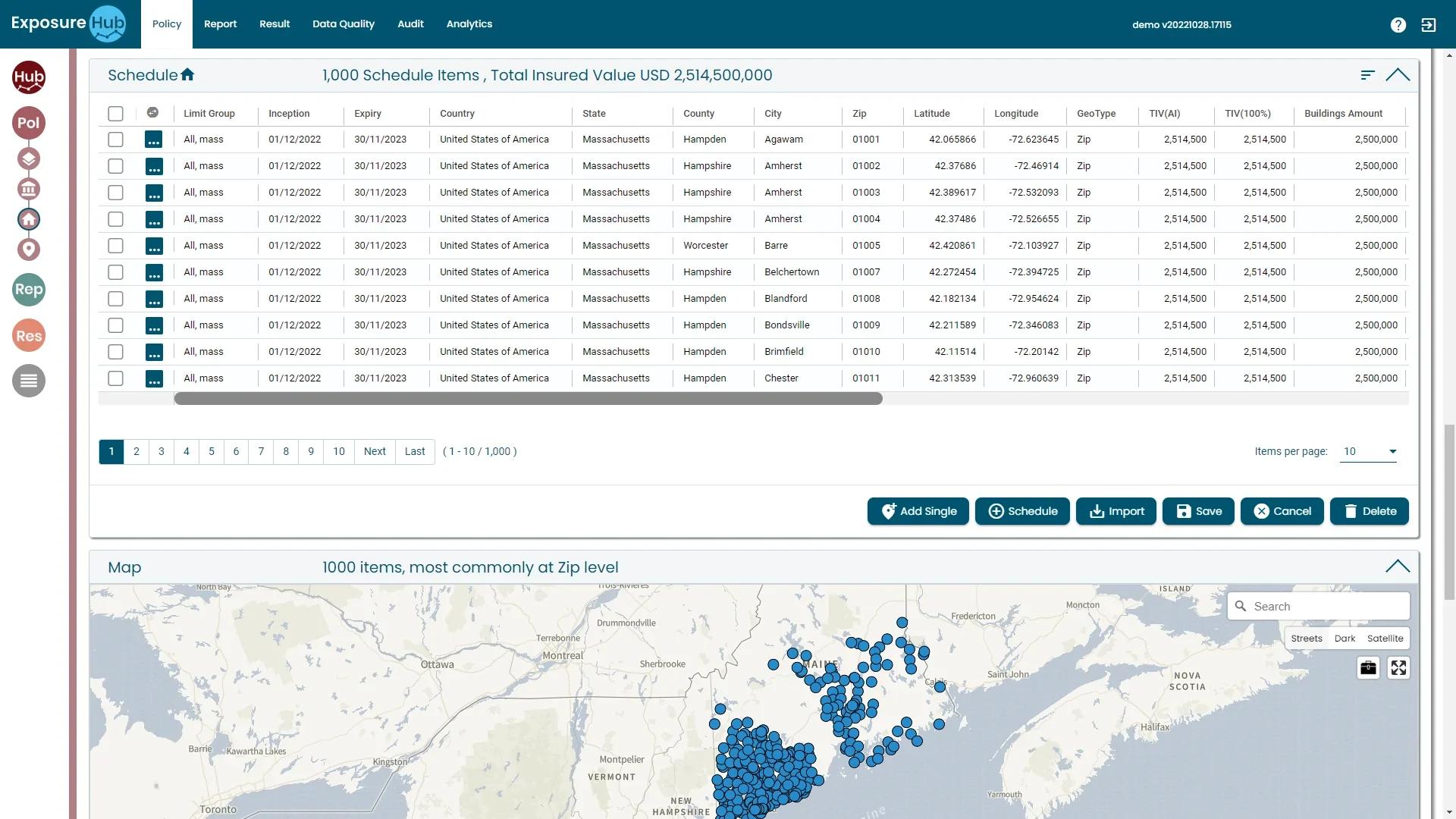
On the map
1,000 items, most at Zip level
Policy tab · portfolio on the map · demo environment
From data to decision, in four moves.
Load or connect
Portfolio data arrives by import file, integration or entry.
Locate
Locations are geocoded and placed on the map.
Accumulate
Exposure is summed by zone, peril, client and line.
Act
Scenarios and dashboards inform underwriting and reporting.
Keep going: the rest of the platform.
Also in the platform
Or go back to the overview.
See Insight Module in action.
Book a walk-through of this module on your own data, with your own questions.