Trust the numbers before they are used.
Exposure data quality is the foundation of accurate underwriting. The DQ Module detects and corrects data issues before they flow through to analytics, reporting or regulatory submissions.
- Every record checked against your rules
- Problems flagged before they reach analytics
- An audit trail for every correction
Catch it on arrival, not after the decision.
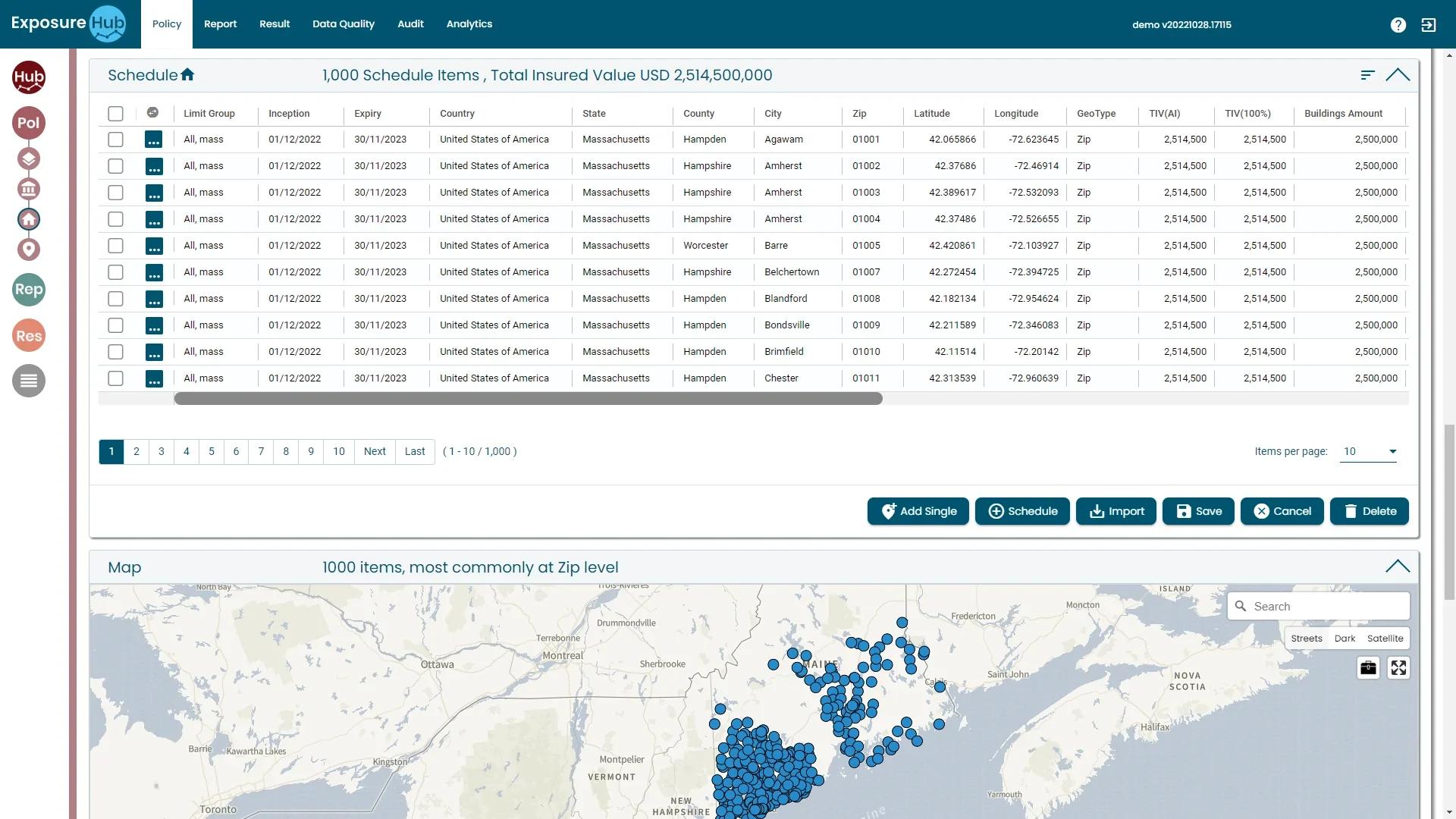
- Latitude: 42.37686Passed
- Zip: (blank)Missing
- TIV: 2,514,500Passed
- Latitude: 242.37686Out of range
Data quality issues surface after decisions are made. This catches them on arrival.
Data quality issues surface after decisions have already been made
Automated validation against configurable quality rules, as each record arrives.
Multi-source data from different carriers and regions arrives in incompatible formats
Missing, inconsistent and out-of-range values flagged before they reach analytics.
Regulatory pressure from market bodies demands more rigorous, timely exposure reporting
Correction workflows with an audit trail per record, to support regulatory compliance.
IllustrativeDrawn from the module description with fictional sample data. Not a screenshot.
Five checks, shown on example records.
Automated validation against configurable quality rules
Every record checked against the rules you set, as it arrives.
A record arrives
- Limit Group
- All, mass
- Inception
- 01/01
- Expiry
- 31/12
- Country
- United States of America
- State
- Massachusetts
- Zip
- 01002
- Latitude
- 42.37686
- Longitude
- -72.46914
- TIV
- 2,514,500
Your configured rules
- Country is present
- Expiry is after Inception
- Latitude is between -90 and 90
- Longitude is between -180 and 180
- TIV is greater than zero
IllustrativeFictional records on the real Policy schedule column names.
Before third-party data reaches the model: validate, normalise, monitor.
Validate
Validating third-party data sources and checking for inconsistencies or errors in the data is critical to ensure accuracy and completeness.
Normalise
Standardising third-party data makes it compatible with the platform's data model: high quality data from many sources in a standard format aligned to the platform's schema.
Monitor
Watch third-party sources for changes or updates so the data stays accurate, secure, compliant and up to date, usually with alerts to platform users.
Source: Ebix Europe, on the Lloyd's syndicate bulletin. Securely feeding third-party data also involves encryption, access controls and vendor management.
From record to proof, in four moves.
Receive
Records arrive from files, systems and entry.
Validate
Each record is tested against your rules.
Correct
Flagged records go to an owner for correction.
Prove
The audit trail shows what changed and why.
Keep going: the rest of the platform.
Also in the platform
Or go back to the overview.
See DQ Module in action.
Book a walk-through of this module on your own data, with your own questions.